
Searching Cases by Name
Name searching runs through the Tyler UCMS Smart Search portal. Enter a party name in Last, First Middle Suffix order. Or use a record number instead. The full name is optional. Advanced fields sit behind the main form. Separate checkboxes there cover cases, judgments, and warrants. Search cases alone first. Add the other filters only if the results come back too broad to sort through.
- Choose the portal that covers the court and record type.
- Enter the last name first, then add given-name terms.
- Use exact match, party type, case status, or a filed-date range to narrow results.
- Open the matching case and compare the party, number, type, court, and dates.
- Cross-check the docket with the custodial clerk before relying on it.
| Field Label | Type | Required | Notes |
|---|---|---|---|
| Search term | Text | Yes | Record number or Last, First Middle Suffix |
| Exact Match | Checkbox | No | Use after testing a broader name |
| Party Type | Dropdown | No | Dynamic options were not exposed in text inspection |
| Case Status | Dropdown | No | Can narrow open or closed results |
| Filed Date From / To | Date | No | Limits the filing window |
Somervell County Case Search Includes
Smart Search treats cases, judgments, and warrants as separate include options. They are not three labels for one result. A case result is the court matter itself. A judgment is a decision or obligation the court entered. A warrant is a command the court issued. Checking all three at once tends to bury a single docket in noise. So pick the one that matches your goal. The official Smart Search form shows those controls exactly as the state presents them.
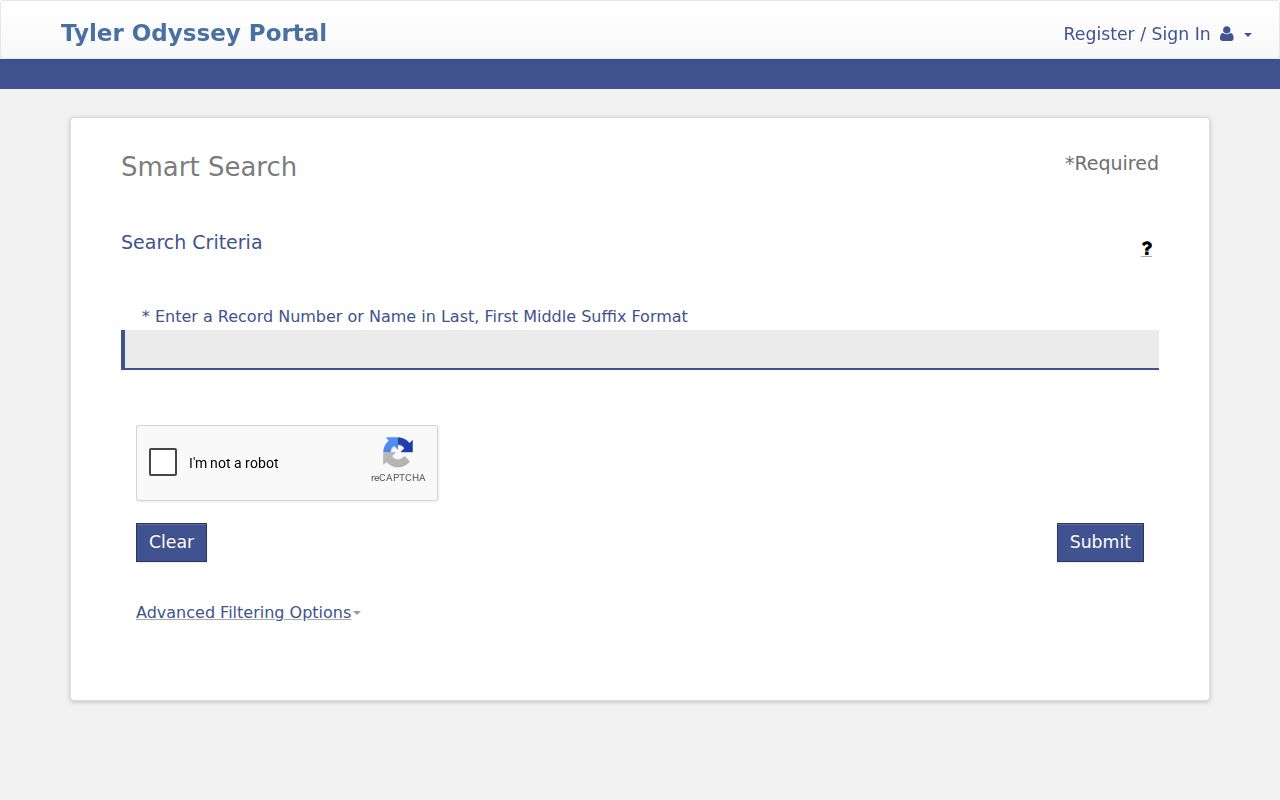
The portal leans on JavaScript and session cookies, so it can stall without warning. If that happens, enable the required cookies and reload through the official portal landing page. Still stuck? Move to the correct clerk channel. Retyping a name over and over will not fix this. The portal simply does not cover every court.
Searching by Case Number
The case number is the strongest key. It points to one file within a court system, which makes it far more precise than a name. Somervell County OCA reports show formats like 26-213-CCCV-00001 for County Court civil and 26-213-CCCR-00001 for County Court criminal reporting. The leading digits give the year, 213 is the county code, and CCCV or CCCR marks the report category. The final block is just the sequence number. Those formats are documented OCA report patterns. No rule says every Tyler, district, JP, municipal, or legacy record follows the same punctuation. Copy the identifier exactly as printed on your notice. If the portal rejects it, try the full string, then a version stripped of punctuation. Ask the clerk which segment that system accepts. Never guess a prefix on your own.
Choose a Somervell County Case Clerk
Somervell County uses a split-clerk model. So the first question is which office holds the file. The District Clerk keeps the permanent records of the 18th and 249th District Courts. Those cover civil, criminal, family, juvenile, grand-jury, and minor-trust matters. The District Clerk page links the records and hearing search tools plus office contact details. The County Clerk holds County Court civil, probate, guardianship, misdemeanor criminal, juvenile, and Commissioners Court records. On the County Court page, criminal indices route to Tyler Odyssey. Civil, guardianship, and probate proceedings route to re:SearchTX. JP clerks and the Glen Rose Municipal Court keep their own lower-court dockets. A district search that comes up empty may just mean the County Clerk, a JP, or the city court owns the case.
Fast correction: When a Somervell County case search is blank, verify the court and custodian before changing the spelling or date range.
What a Case Search Returns
A public result can identify a case without showing every page filed in it. Expect fields like case number, style, case type, status, filing or activity date, court, judicial officer, event type, and hearing details. Tyler search and OCA samples support those columns. "Style" is simply the case caption. It is the formal name the court assigned to the matter.
| Case Number | The identifier used by that court or reporting system. |
|---|---|
| Style / Parties | The caption and public party names, subject to access limits. |
| Case Type | The category, such as criminal, civil, family, or probate. |
| Filed Date | The date the case began or a reported activity occurred. |
| Status | Open, closed, disposed, inactive, or another system label. |
| Events | Filings, settings, orders, judgments, or disposition activity. |
Keep three things distinct. A docket is an index of events. A filed image is the document behind an entry. A certified copy is one the clerk has authenticated. A free result row locates the matter, but it is not a certified copy, and it may not include the pleading, order, or judgment itself.
Somervell County Case Document Results
Before you pay a cent, re:SearchTX shows the case details and hearing information for a Somervell County case. The official quick-reference material walks through how results sort. It also covers case-detail views, expanding events, setting alerts, and exporting data. It explains the document purchase process too. Searching and viewing basic case information is free. For public users who are not attorneys, purchased pages cost $0.10 each. The cap is $6 per document.
The statewide re:SearchTX landing screen is where this begins. Somervell County sends County Court civil, guardianship, and probate users to that statewide layer. That is where their docket and document needs are served.
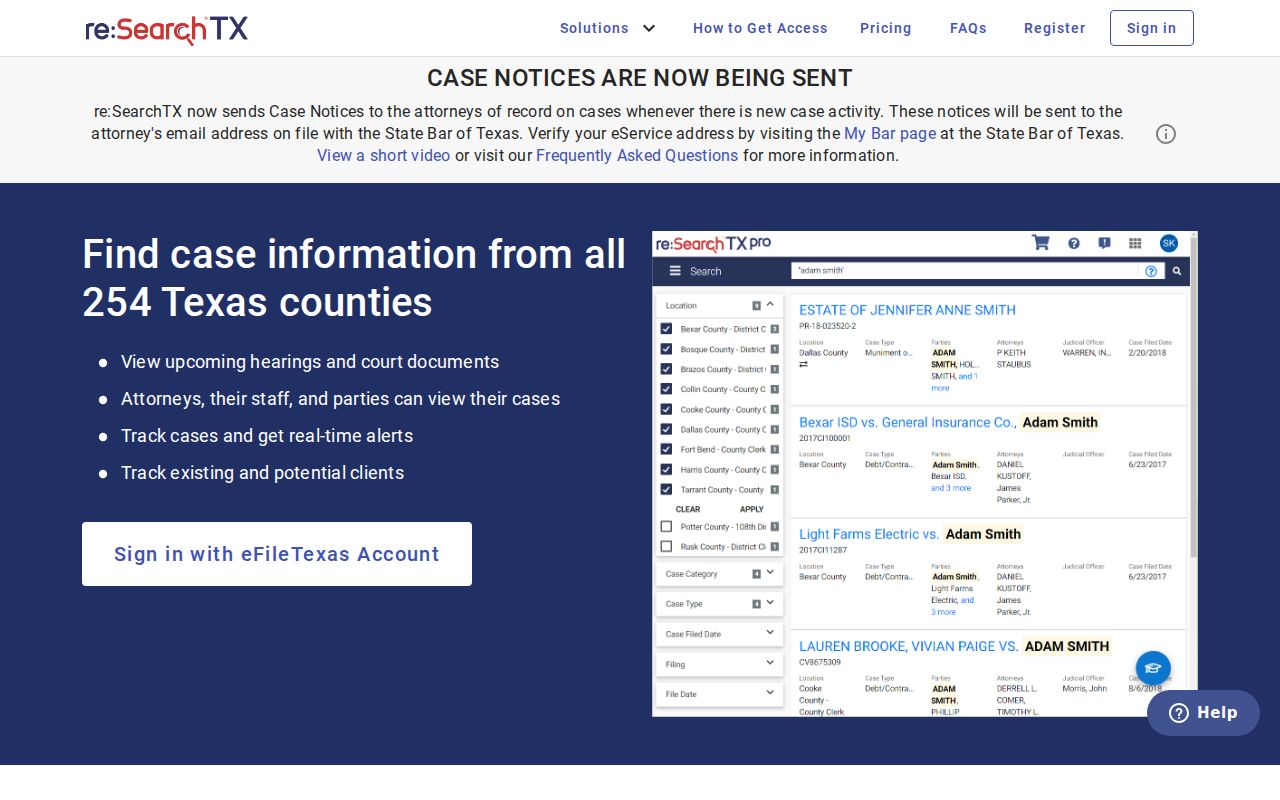
Buying an image does not make it certified. Certification has to come from the clerk who holds the original file. Access also varies by role. A document under protection stays protected even when the case index is public.
Statewide vs County Case Search
Statewide and local paths overlap, but they serve different courts and goals. re:SearchTX is the statewide document layer for participating records. Tyler UCMS opens public cases for participating counties and powers Somervell Smart Search plus the hearing search. The county pages do the local routing and tell you which system fits your case.
| Statewide re:SearchTX | Somervell County and Tyler Paths |
|---|---|
| Participating Texas court records | Somervell-specific court routing and Tyler public records |
| County civil, guardianship, and probate route named locally | Criminal indices and district search/hearing links |
| Case details, hearings, alerts, exports, and document layer | Smart Search plus Search Hearings controls |
| Best when the local page directs that record type there | Best for a known Somervell court or local hearing |
eFileTexas is neither of those. It exists to submit filings, not to run a public docket search. Someone hunting an existing Somervell County case should use public search. Starting an e-filing session will not get you there.
Three Somervell County Case Searches
A case search, a hearing search, and a document request answer three different questions. Pick the goal before the tool. That habit breaks a common loop where a party finds an event but still cannot see the order behind it.
- Case search
- Locates a matter by number, party, status, court, or filed date.
- Hearing search
- Locates scheduled events by date, location, type, officer, or courtroom.
- Document search
- Locates a filed pleading, order, or judgment, which may carry a page fee or access limit.
- Clerk request
- Uses phone, mail, email, or the counter for a copy, older file, certification, or help identifying the proper record.
For older Somervell County court records, nothing beats visiting in person. The County Clerk keeps public computers at the office. Anyone can search indices and pull up images there. That terminal often reaches material the web portals leave out. The District Clerk runs its own records counter. That counter serves cases on that side of the house. Written requests go to whichever clerk holds the docket. The county's general open-records channel handles administrative routing only. So it cannot substitute for the judicial-record process itself.
Access and Restricted Cases
Most Somervell County court records are open. Still, the law draws real lines. Texas Rule of Civil Procedure 76a governs when civil court records get sealed. Texas Family Code Chapter 58 restricts juvenile records. Child-protection, adoption, and protected family matters may show only limited metadata, or nothing at all. Rule 21c adds another layer. Sensitive data must be redacted from filed documents. That covers government identifiers, financial-account numbers, birth dates, home addresses, and minor names.
A blank result does not mean the case is sealed. The docket may live in another court, or carry an older case number. It might lack a scanned image, or simply be waiting on system synchronization. Ask the right clerk whether the record exists and which access category applies. Clerks can walk you through the request procedure. But no clerk can override a sealing order or confidentiality law.
Note: Never use a public search to bypass a seal, redaction, juvenile restriction, or role-based document limit.
When Somervell County Case Search Fails
If a direct Tyler screen fails because of JavaScript, cookies, or session state, go back to the official portal landing page and start over. Then retry the case number exactly as printed. A narrow party-name search is a good second test. When the Somervell County docket search still comes back empty, switch clerks based on case type instead of firing the same query at every site.
- Call or visit the District Clerk for 18th or 249th District Court records.
- Contact the County Clerk for County Court civil, probate, guardianship, or misdemeanor files.
- Use the correct Justice of the Peace clerk for JP civil or Class C matters.
- Contact Glen Rose Municipal Court for a city citation or ordinance case.
- Ask about an older paper, microfilm, or image record when no online image appears.
Mail and written requests still work through the custodial office. Include the case number, party names, court, and approximate filing date. Include the exact item you need too. Chasing a judgment? Ask for the signed judgment itself, not just "the case." Need proof of authenticity? Say a certified copy is required. Then ask the clerk for the current fee.